For neighborhood, beach and park associations anyone can join
The membership list, the dues envelopes and the sign-up sheet for the cleanup.
SmartGrouper keeps the members, the dues, the events and the documents of an association that anyone can choose to join in one place — so the next board inherits something better than you did.
We set up your association by hand, usually within one business day. No card.
The demo is a made-up beach community, rebuilt every morning. Sign in as member@demo.smartgrouper.com to see what members see, or admin@demo.smartgrouper.com for the board — the password is the same address. It is read-only, so nothing you click can change anything.
Built for associations like yours
Associations like yours
Beach and seasonal associations, road associations, and neighborhood and civic associations in a small town or the middle of a city. The friends of a park, a beach or a community garden. Any group of neighbors that anyone can choose to join, run on a board, a few volunteers and an annual meeting.
Associations that are not
Not an HOA, a condo or a co-op, where buying a home makes you a member and the assessment is not optional. Those need votes run by the book, reserves and collections, and they have a page of their own.
Not this kind of association?
Two sides, one system
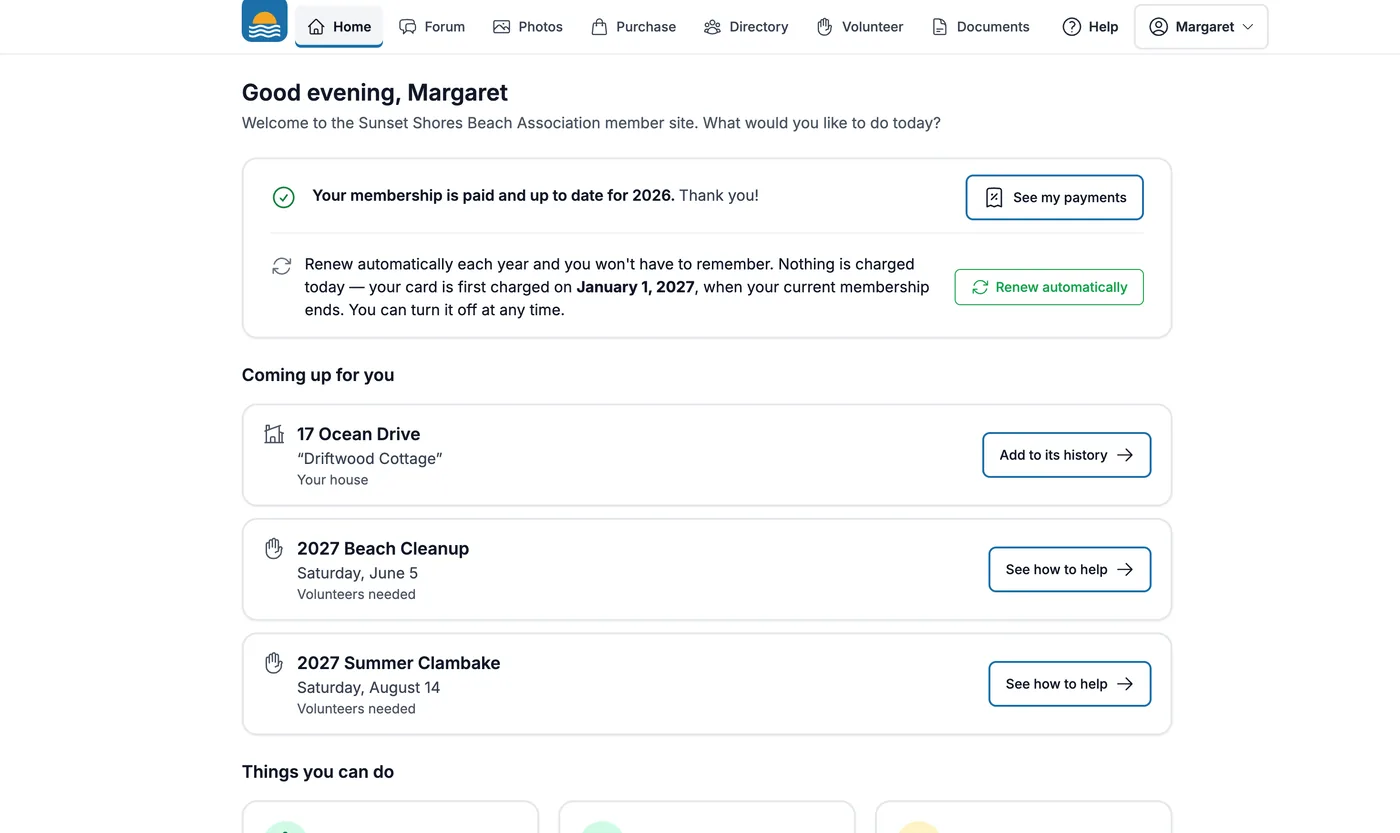
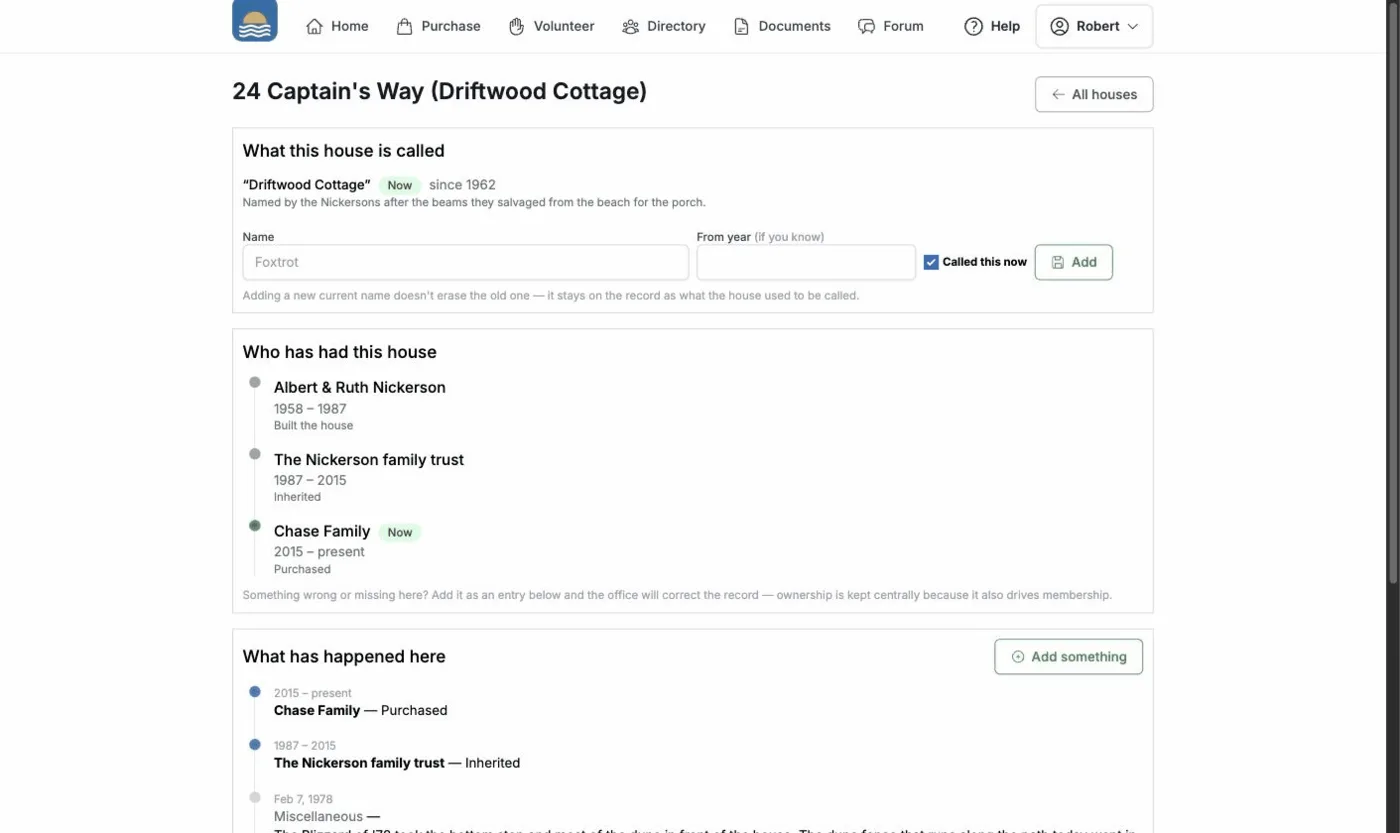
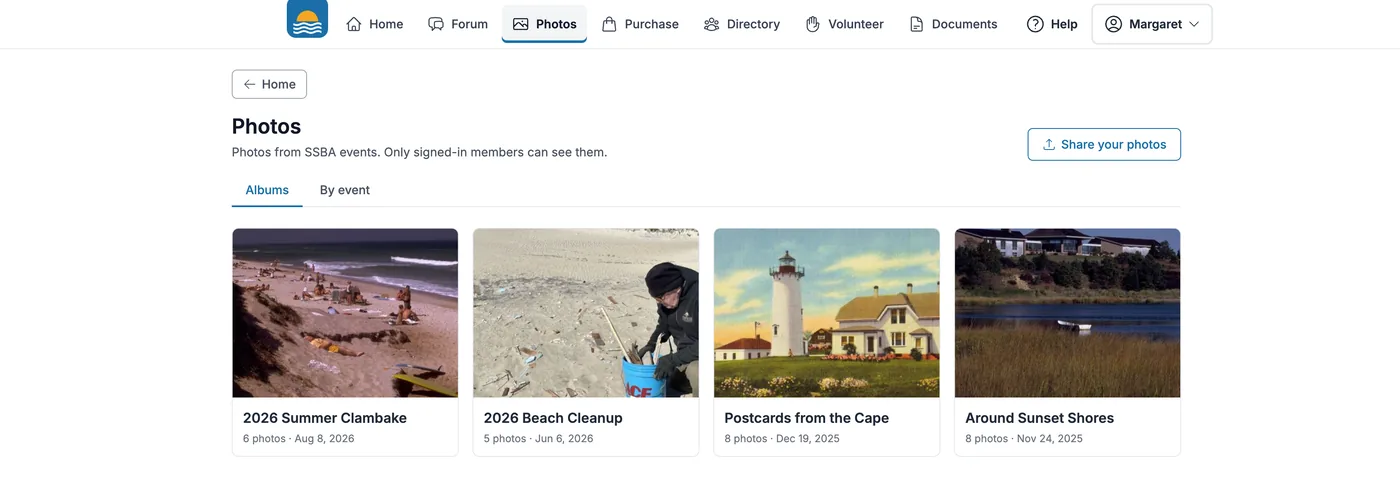
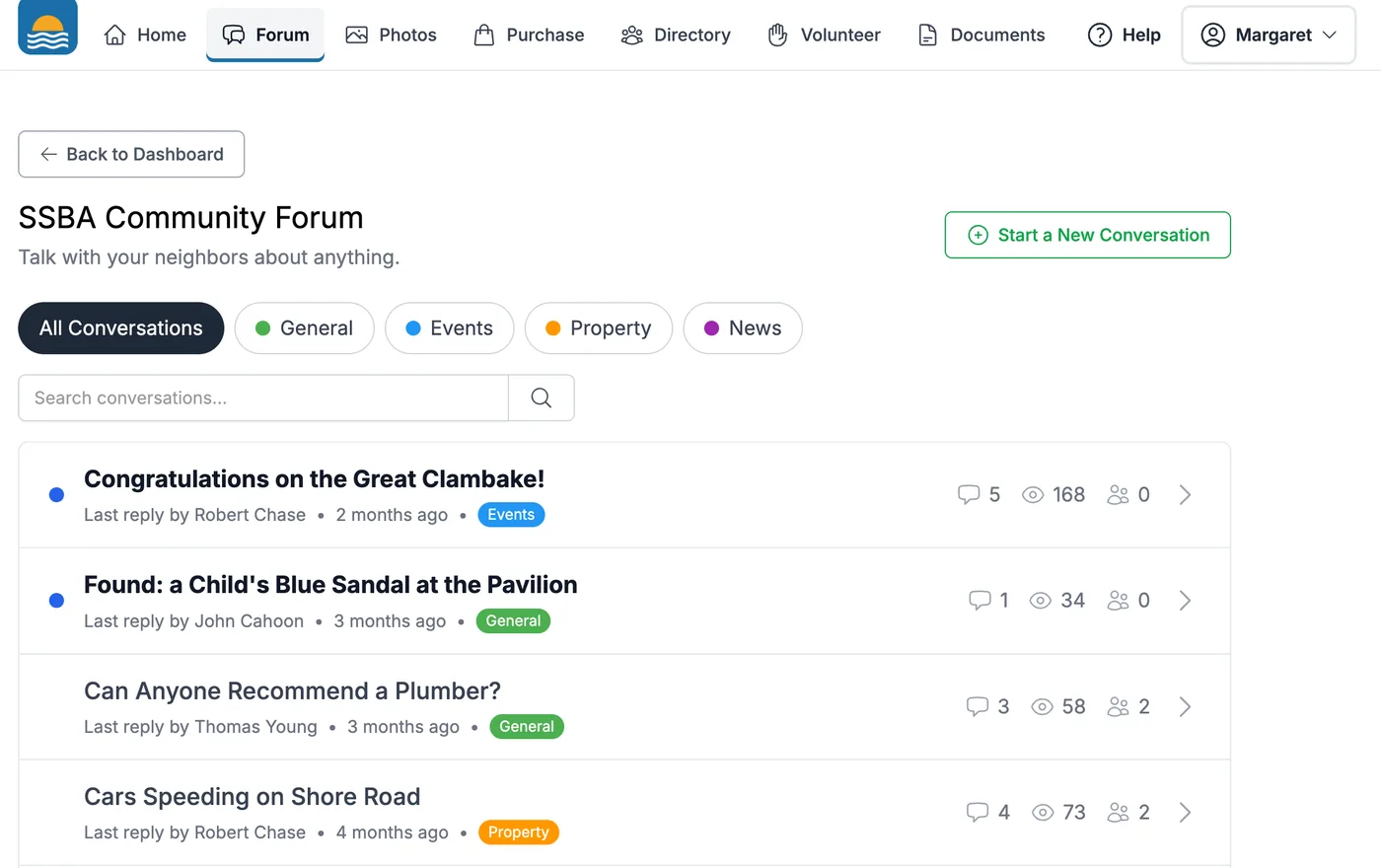
Your members get a simple site that works on any phone. Your board gets everything behind it. What a member does — paying dues, buying a ticket, signing up to help — shows up for the board straight away.
For your members
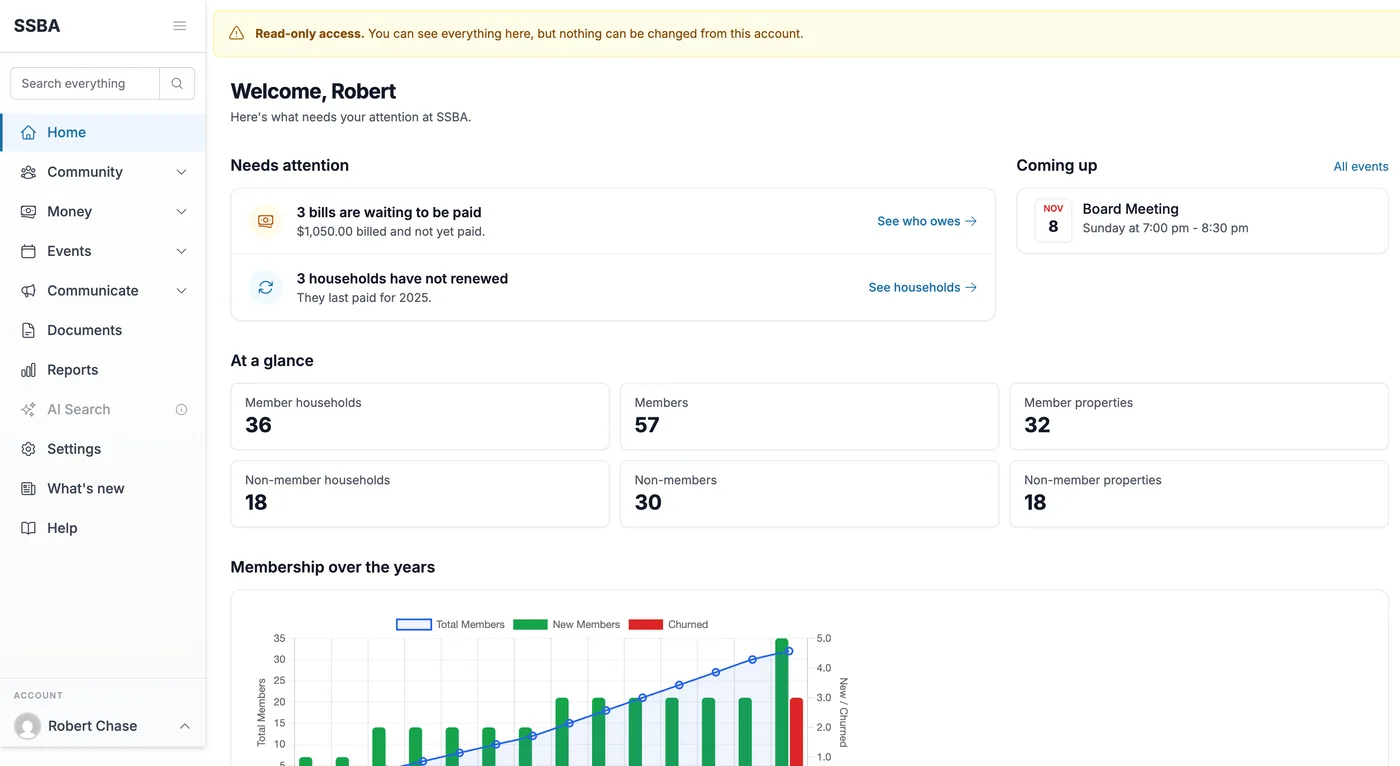
For your board
Looking after a park, not houses
Some associations have no houses to keep track of: the friends of a park, a beach or a community garden, paid for by gifts as much as by dues. Leave the houses, the map and their histories switched off, and the rest fits.
Gifts of any amount
A Donate page to link to from your own website, where anyone can give what they choose, by card into your own Stripe account or by check. You see who gave and which checks are on their way. A gift does not make anyone a member, so donors never change your price. Whether a gift is tax deductible is yours to say.
Your website stays where it is
If it is on Squarespace, what it sells comes in on its own: a membership, a T-shirt or a ticket to the summer concert, with each buyer matched to your roster.
The walking group and the garden club
Activities members organize and join for themselves, from a weekly walk round the park to a garden club.
Garden plots and the waiting list
When there are more gardeners than plots, each household sees its place in line and the date it joined the list.
Hands for planting day
Shifts for the planting and the fall cleanup that members sign up for, and put in their own calendar.
Whether the concert paid for itself
Tickets, money taken on the day and every expense, with the forecast for the evening, so you know how the summer concert did before the chairs are stacked.
For whoever keeps the books
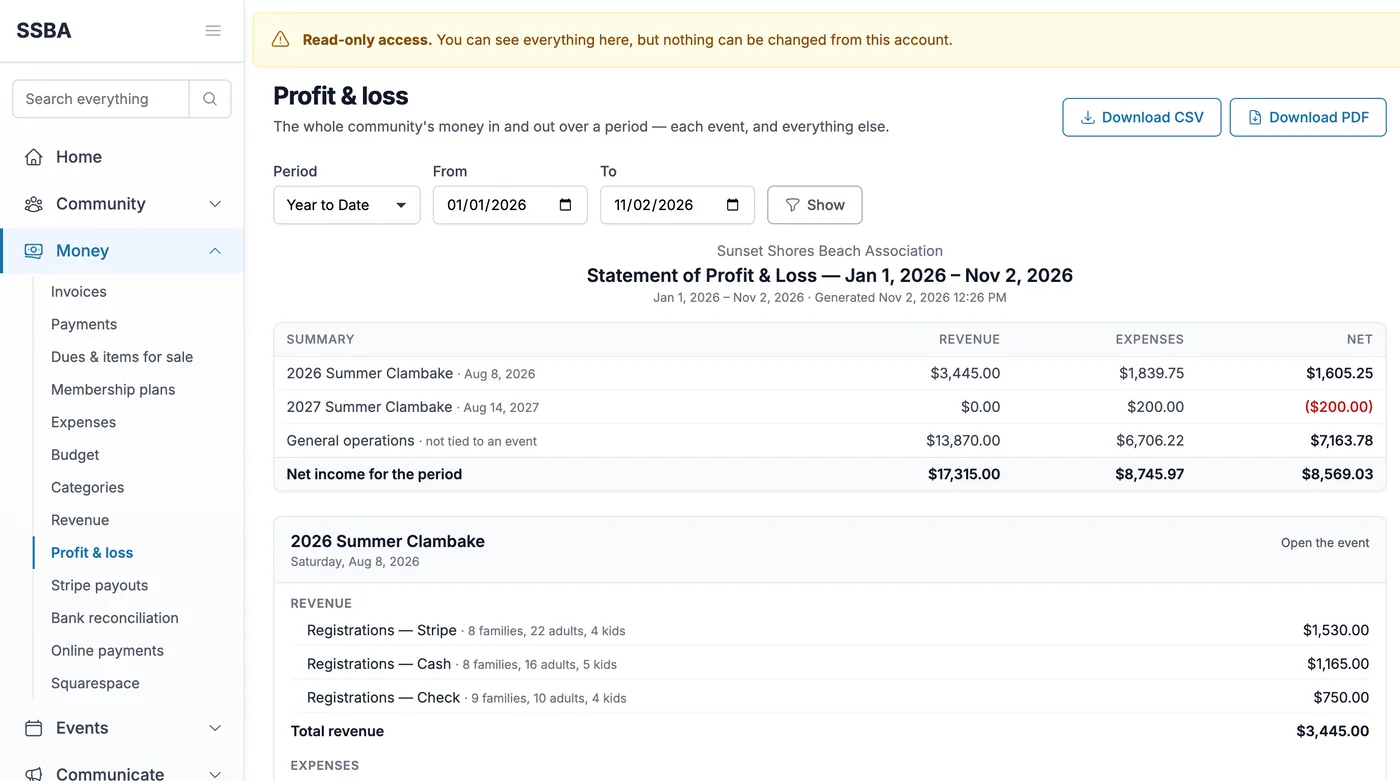
The money side, as the treasurer sees it: what the year was meant to look like, who still owes, what has gone out, and whether the bank agrees. Most of it comes out as a spreadsheet or a PDF when the board asks.
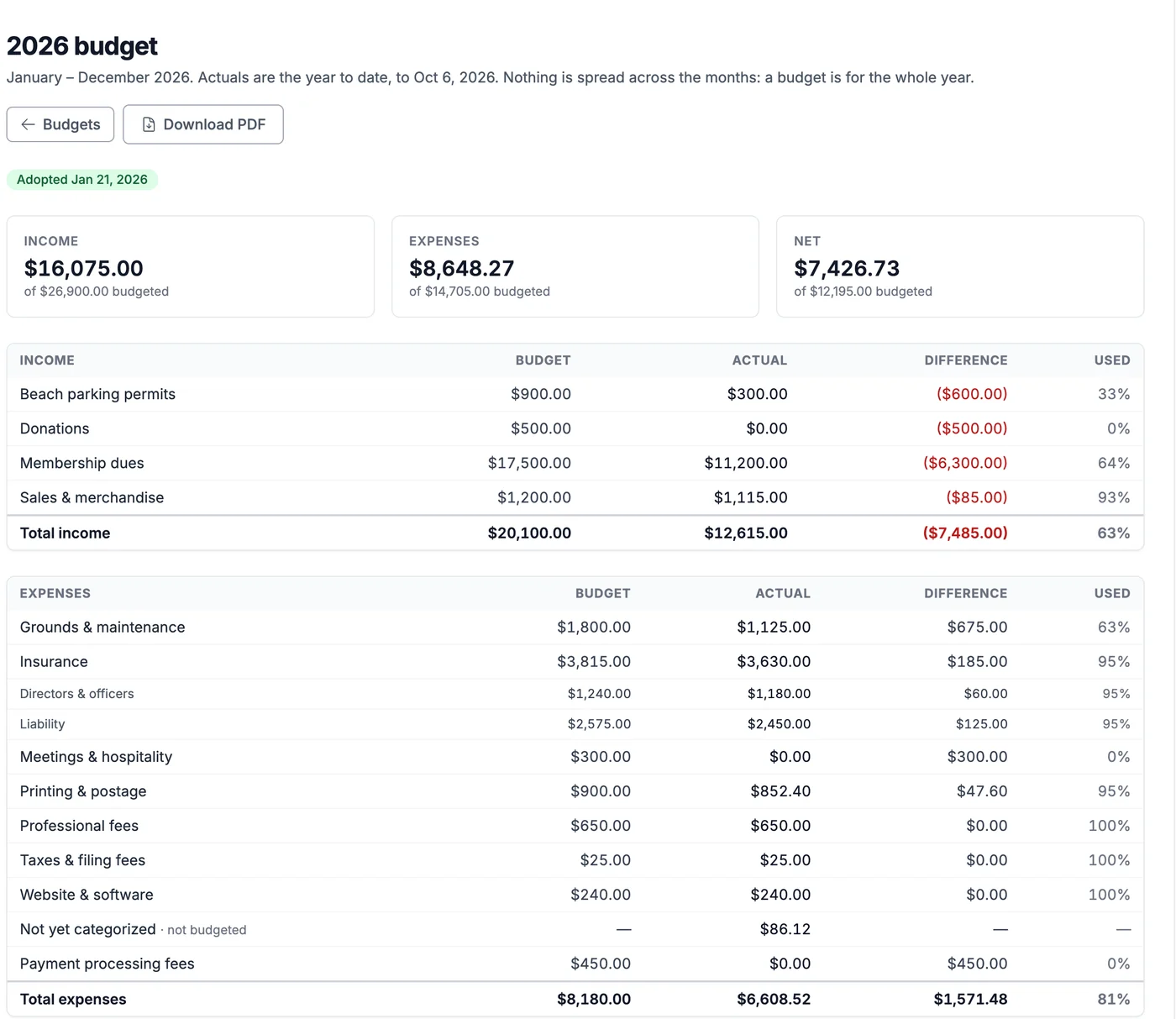
A budget the board can adopt
Start the year from last year's actual figures, an earlier budget or a template for your kind of group. Then every category and every event sits beside what actually happened, so the board can see how the year is going. Your year can run July to June, and the budget prints for the annual meeting.
Plan each line month by month, with an event's costs in the event's month, and build versions of next year's budget to compare side by side before the board adopts one.
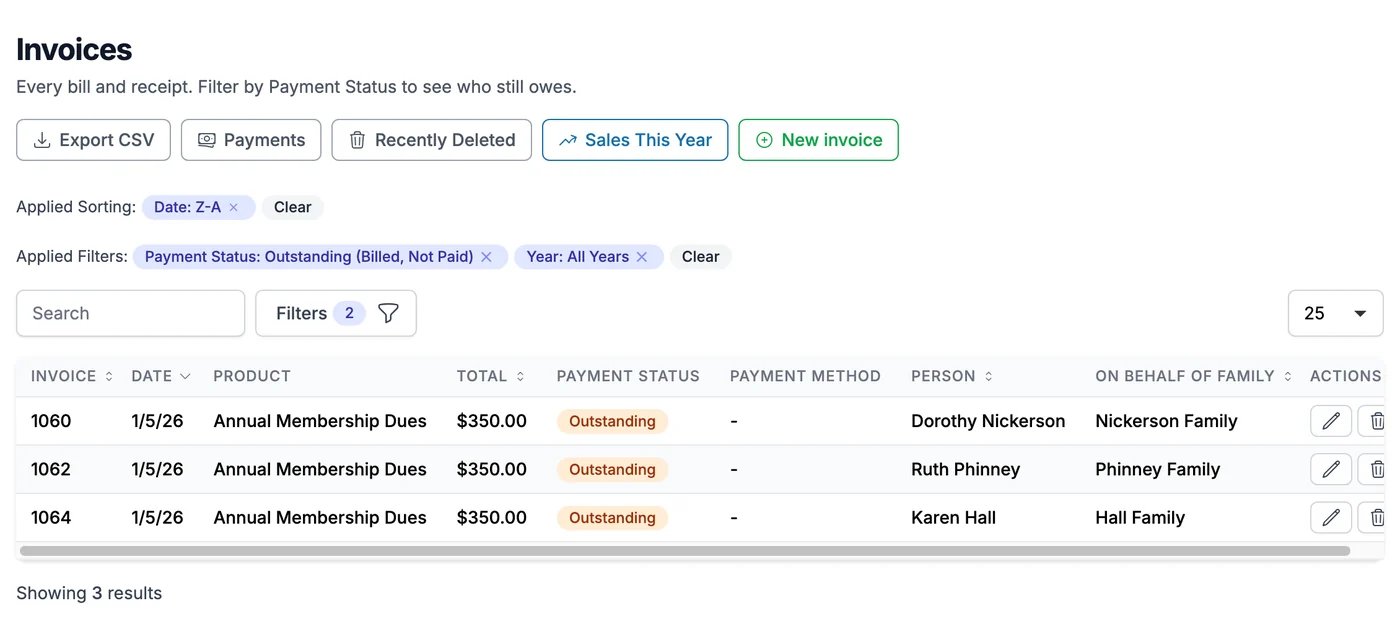
Who still owes
Dues billed and not yet paid, one filter away. Record a check the day it arrives; a card payment settles itself.
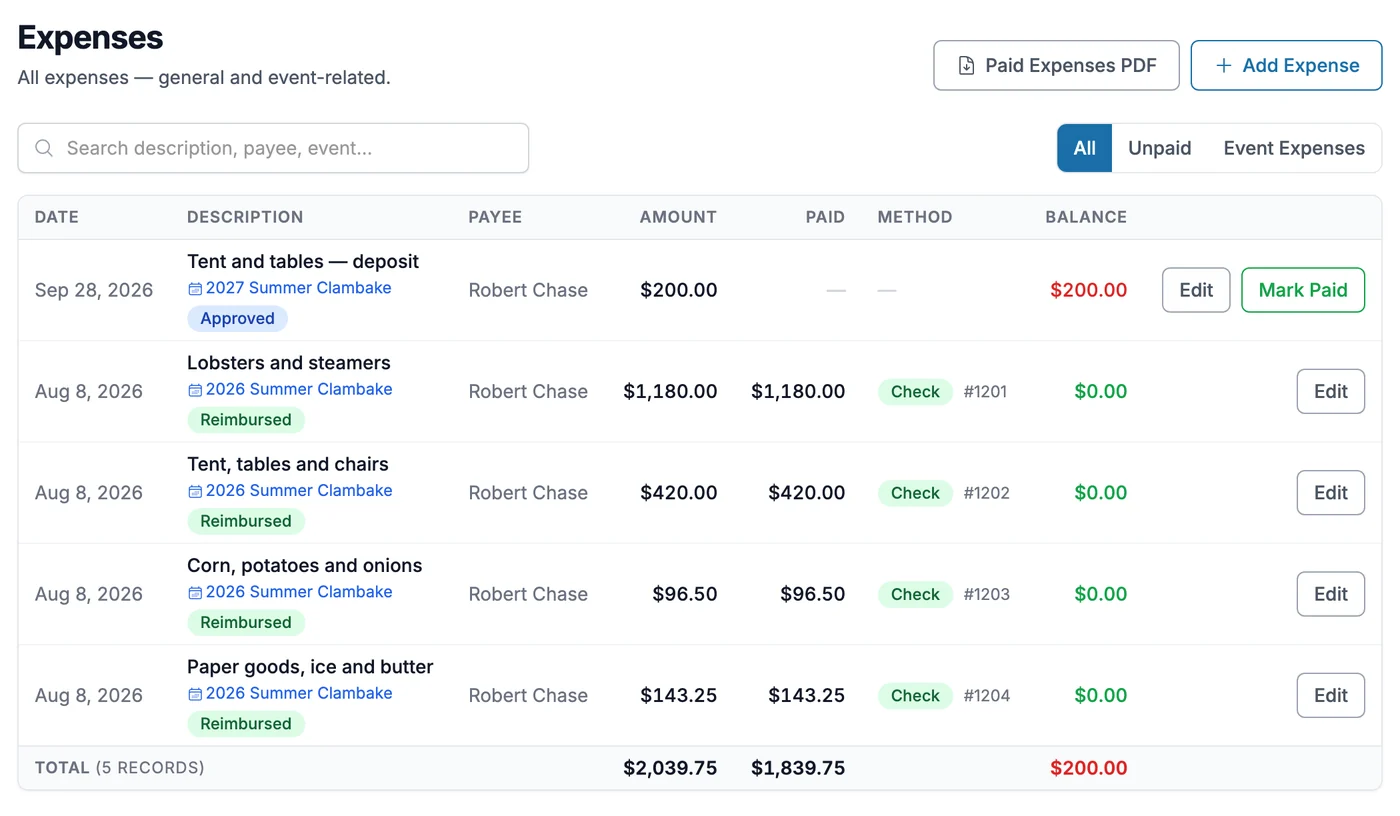
Spending, with the receipts
Each expense with its receipts, approved, then marked reimbursed with the number of the check that paid it.
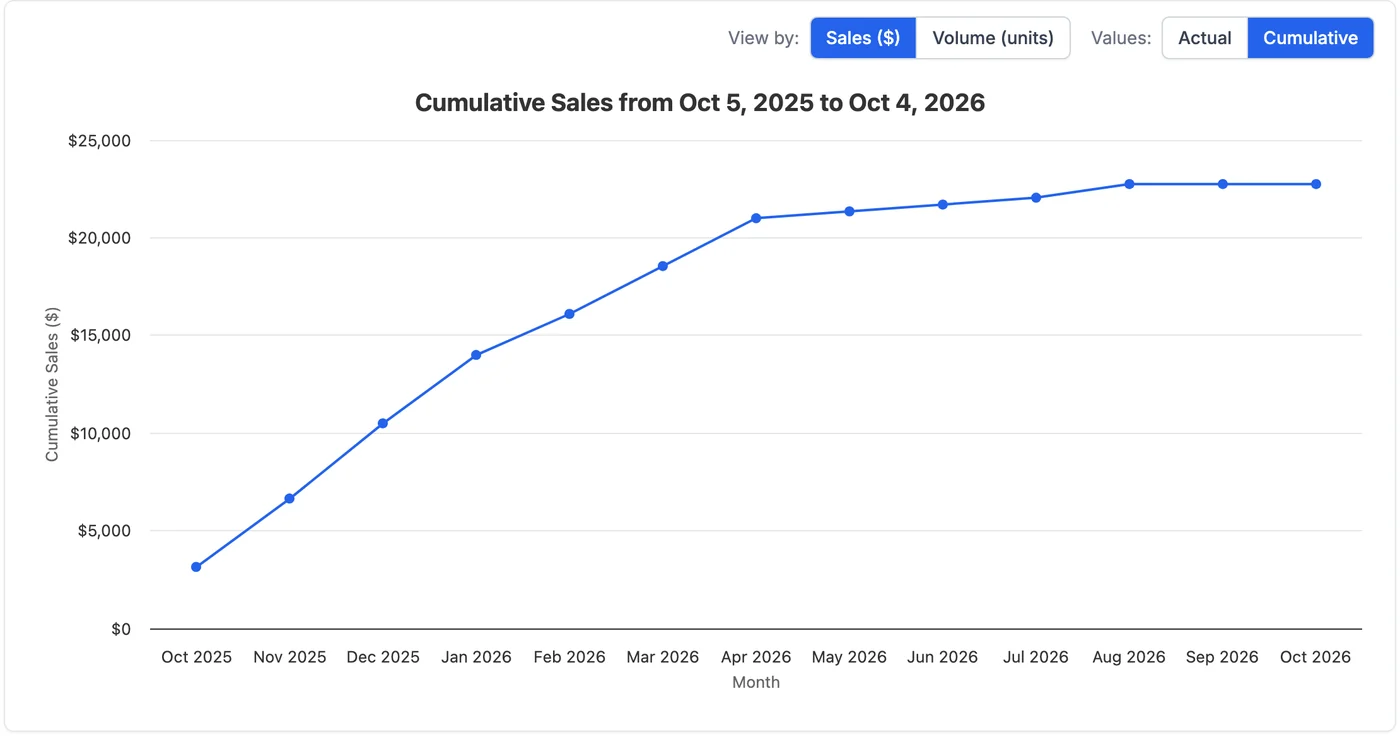
Dues as they come in
A year of dues as a running total, so you can watch the renewal season fill up. Any item's sales can be set against last year's, or lined up by the weeks before an event.
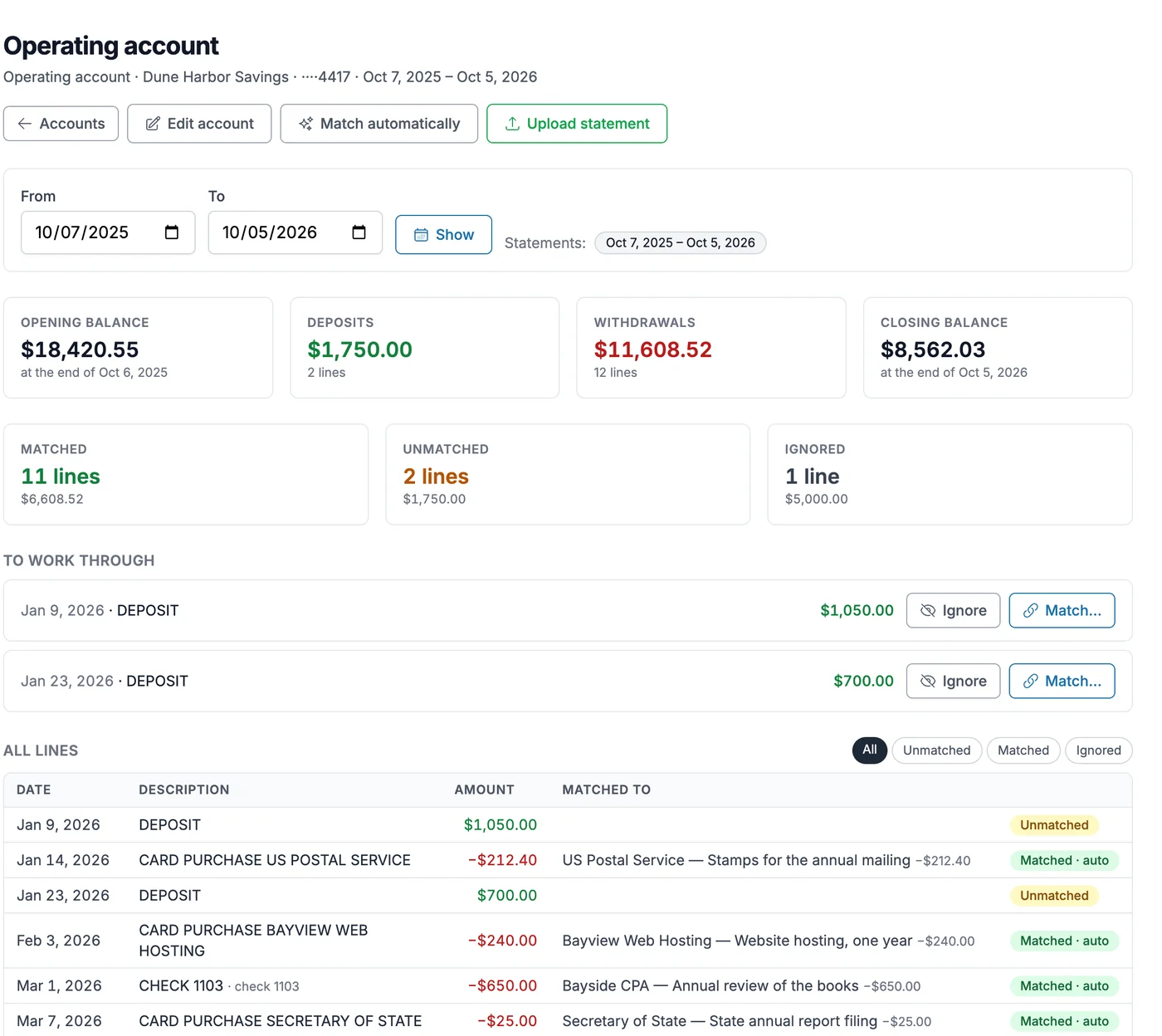
The bank statement, matched
Upload the statement from your bank's website, as the Quicken (OFX) download or a CSV. Each line it can be sure of is matched to the payout, check or expense it belongs to. The rest wait for you to match or explain, and it tells you when a statement is missing.
Your Squarespace store, in the books
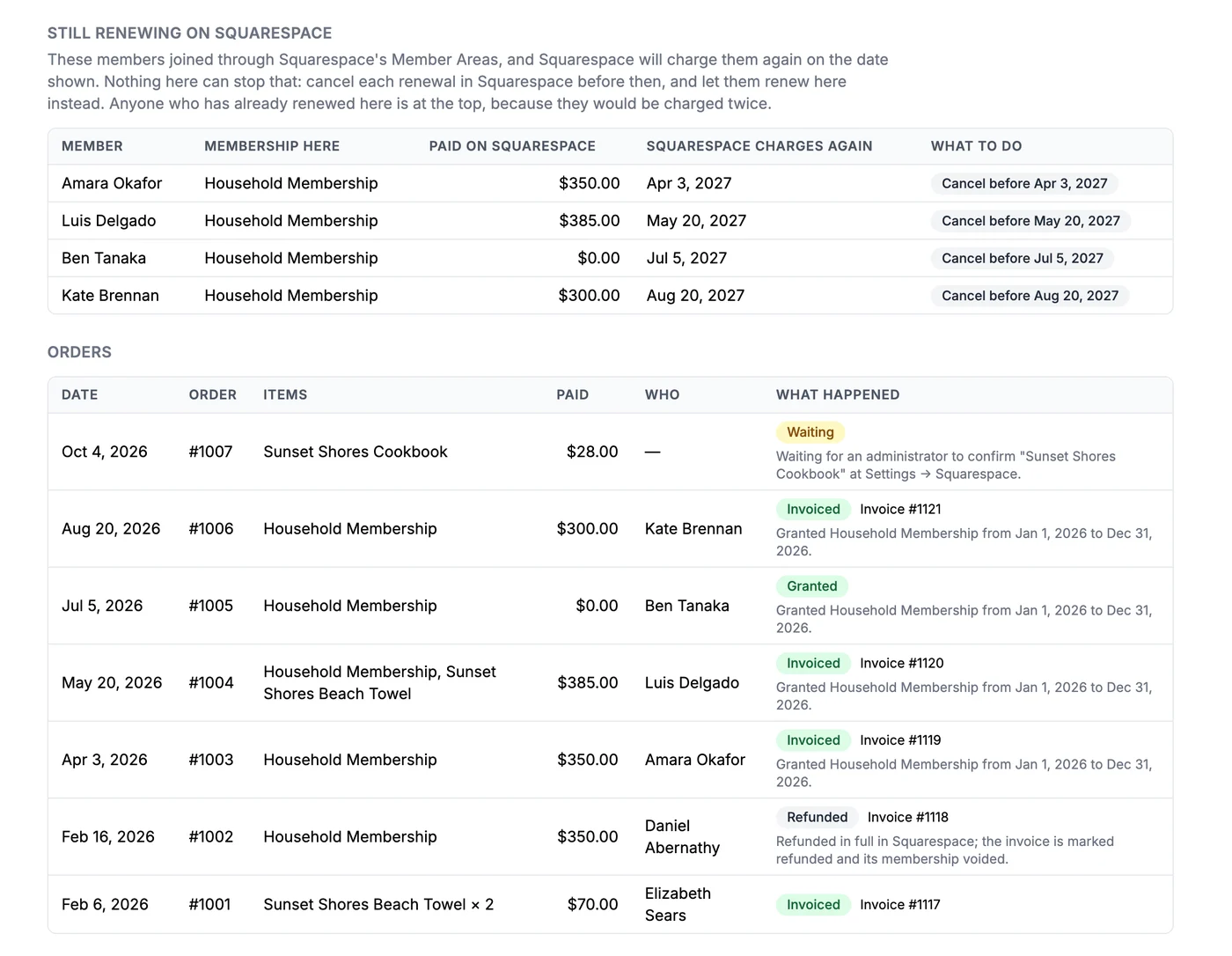
If your website is on Squarespace, it can stay there. Every hour through the day, what its store sold comes in here: a membership as a paid invoice and the membership on the buyer's record, a class or a T-shirt as a sale. Each buyer is matched to your roster by email address, or added to it. You say once what each product grants, and nothing is booked until you have.
Squarespace's fees show in the profit and loss beside the card fees. When you move renewals here, it lists who Squarespace will charge again and when, so nobody pays twice. We connect it for you, with a read-only key from your website. That needs Squarespace's Core, Plus or Advanced plan.
Every expense in its place
Income and spending filed by category, from a starter set for your kind of group. A payee you have paid before files itself, and the AI features can suggest a category for the rest, for you to check before anything is filed.
Card payments, itemized
Every deposit Stripe makes to your bank, broken down into the payments inside it, so a deposit on the statement is never a number nobody can explain.
For the secretary
The roster everything else hangs off, kept tidy without anybody setting aside a weekend to tidy it.
One record per person
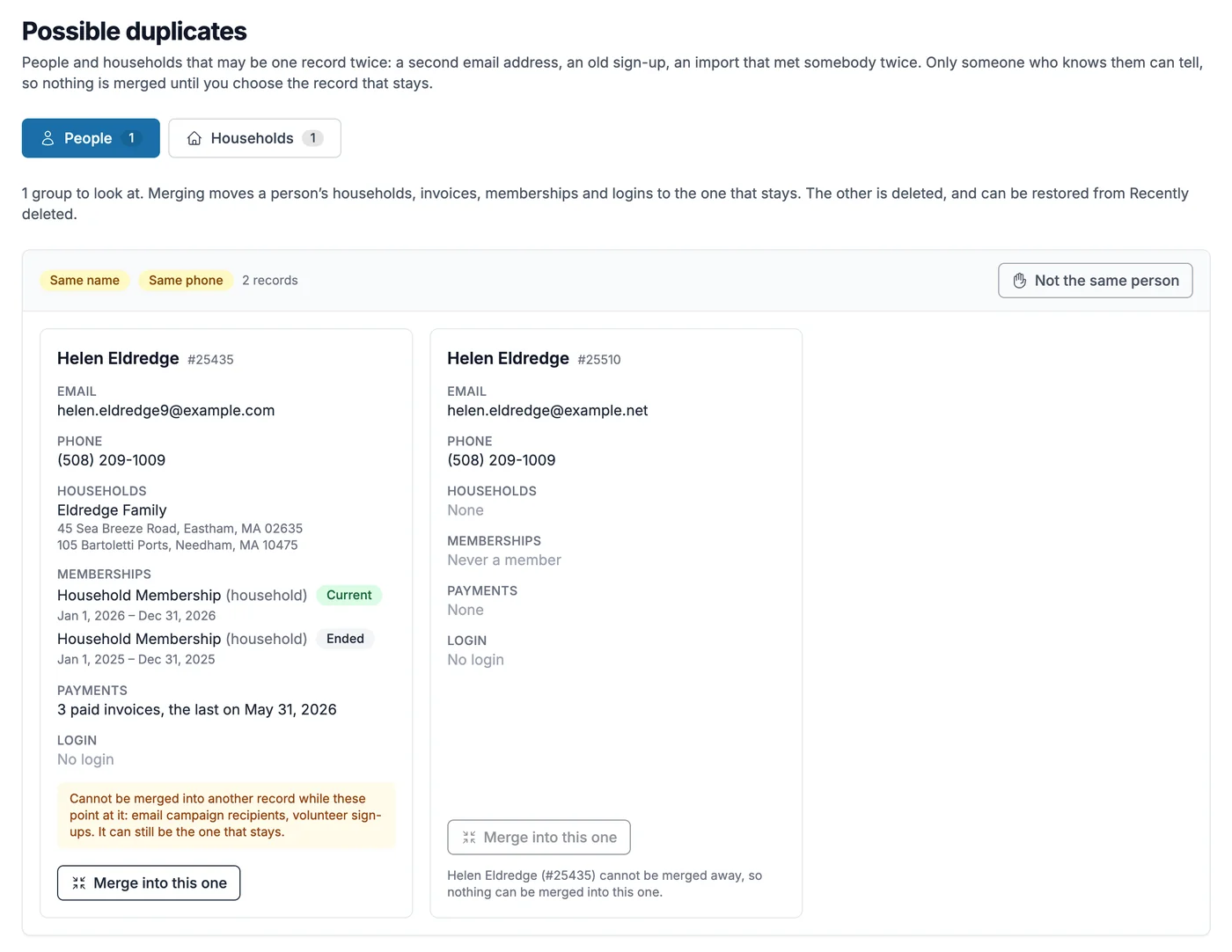
Possible duplicates finds people who share a name, an email address or a phone number, and households at the same address. Choose the record that stays, and the other's invoices, memberships and logins move to it. Nothing is merged until you say so.
Bring the roster with you
Your members come in from a spreadsheet, with a preview before anything is saved. Leaving MemberPress? We bring your members, their membership levels and their payment history across.
Addresses the way you post
One mailing address for each household, or a summer and a winter one for a seasonal community, and every form and printed list follows your choice.
The directory, printed
The member directory as a PDF book, by name or by street, with only current members and nobody who asked to be left out. A spreadsheet of it too, for the mail merge.
Applications, in a queue
People who apply to join online wait with their answers to your questions until you approve or decline them. A decline can carry your reason, sent to them word for word.
For whoever sends the news
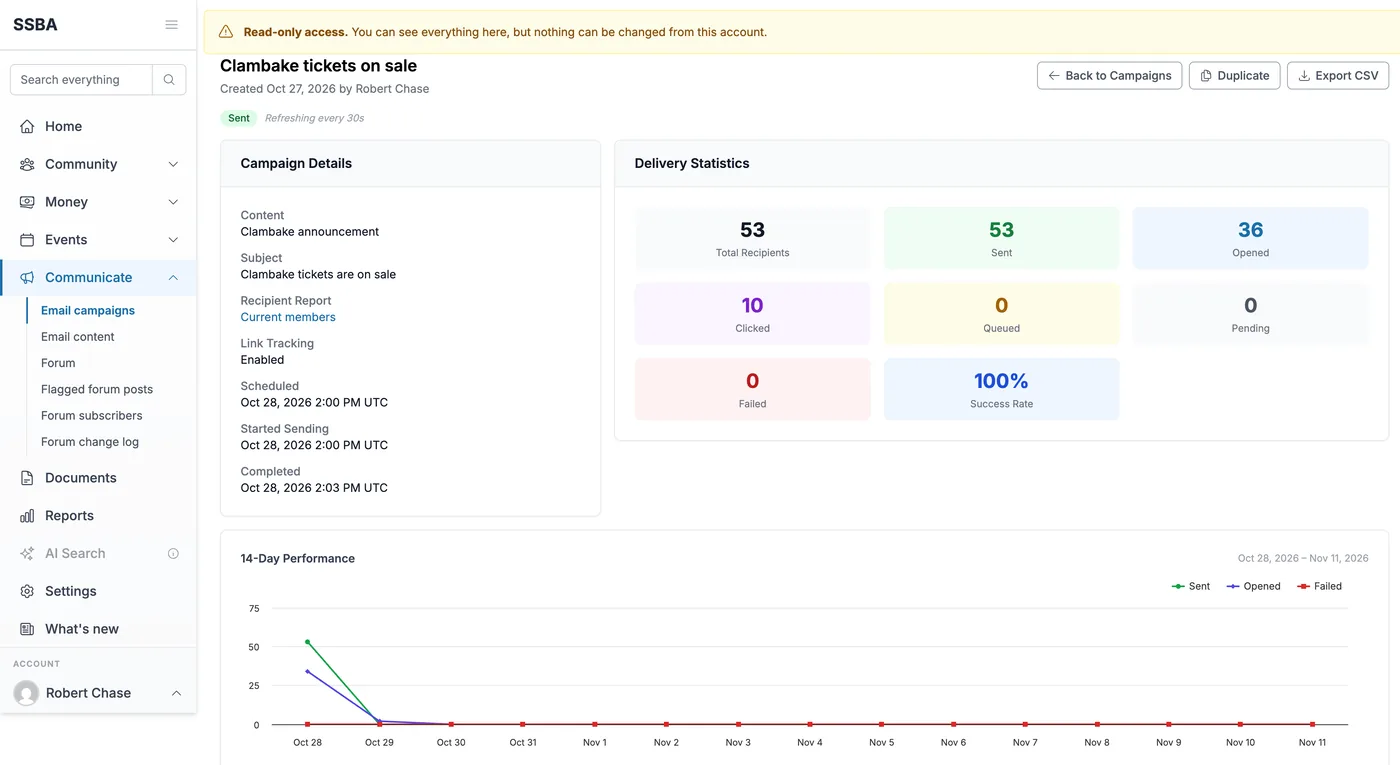
The newsletter, the renewal drive and the notice about the road, each to exactly the people it is for.
Emails that look designed
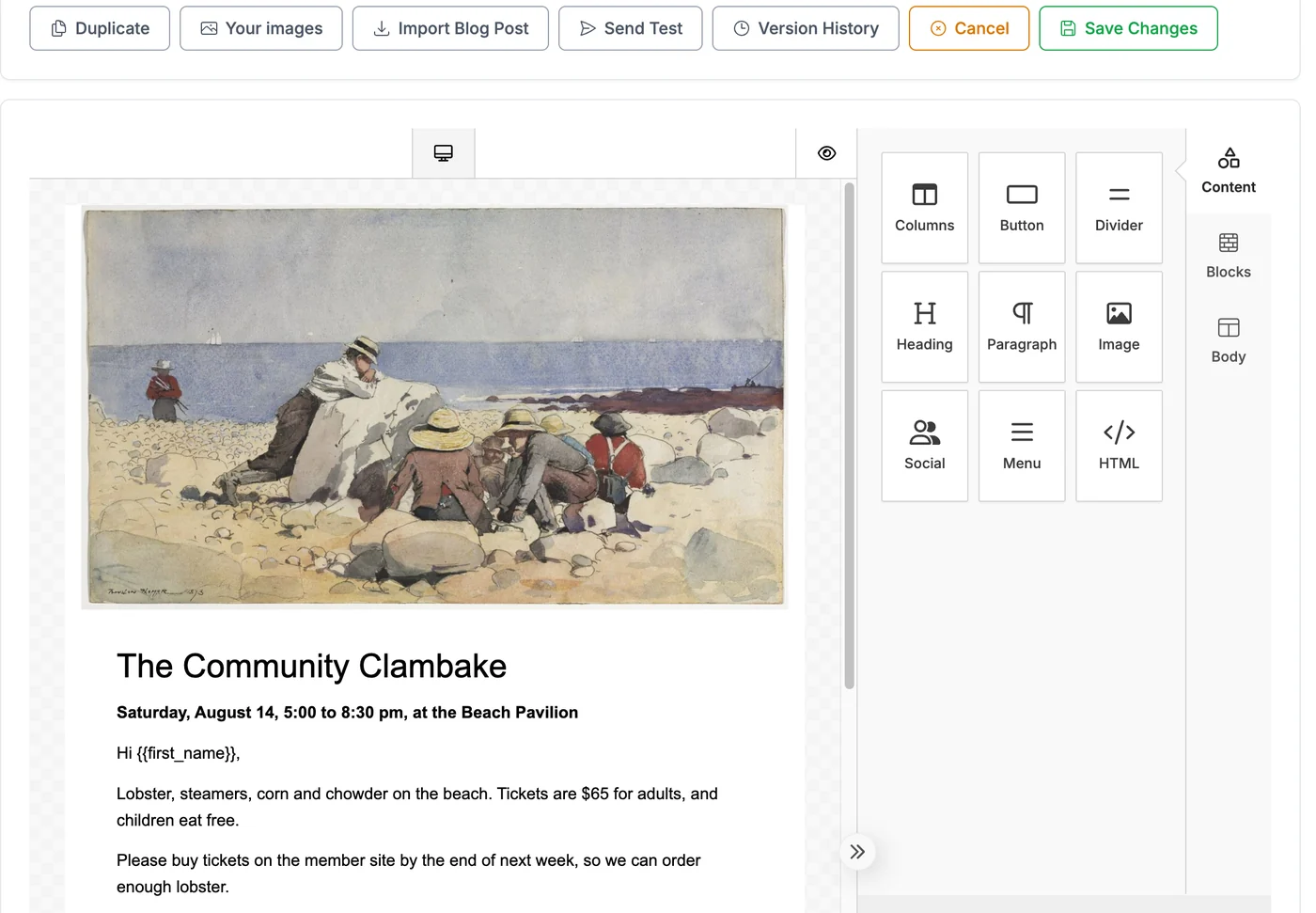
A drag-and-drop editor with columns, buttons and images, a preview of how it looks on a phone, and a test to yourself before anything goes out. Your images are kept in one library, and photos from your albums are a click away.
Exactly the right people
Send to a list you saved once, such as this year's members or last year's who have not renewed, or to everyone coming to an event or helping at it. Now, or at a time you choose.
Who opened it
Opens and clicks for every person on the list, so you know who still needs a phone call.
The legal footer, every time
Your postal address and an unsubscribe link go on every email, and are put back if a design loses them. Anyone who unsubscribes from a list is left off it from then on.
A forum instead of reply-all
A question that would bring twenty replies to your inbox goes on the Forum, where neighbors answer each other and choose how often they hear about it.
Safe to hand over
Read-only accounts
Give an auditor, a nervous board member or last year's treasurer an account that can see everything and change nothing. Not "please be careful" — the system refuses the change.
Every change on record
Who changed what, and when, for every record. When a question comes up at the annual meeting, the answer is already written down.
An event for its chair, and nothing else
Whoever chairs the summer party runs it from the members' site: the guest list, the door, the expenses and its profit and loss. No board login, and no other event in sight.
Mistakes you can undo
A household, an invoice or a document deleted by accident comes back from Recently deleted, history and all, instead of being typed in again from memory.
The gate code, not on a sticky note
Lock combinations, the PO box and the bank account number, kept encrypted and hidden until someone clicks, with every look on record.
More than a password
A passkey or an authenticator app as well, for everyone who runs the site. Recommend it, or require it: your board's choice.
Your name. Only the parts you use.
Your members see your association's name and logo on every page and every email, and as the icon on their phone — never ours, except a small "Powered by SmartGrouper" line on the Free plan. It uses your words, too: a household can be a family or a unit, a property a lot or a home, and a member a resident or an owner.
And most software of this kind shows every group every feature. A road association has no tournaments to run, and the friends of a park have no houses to track, so neither sees them. You choose what your association runs, and the rest leaves the screen entirely.
Always on
Yours to switch on
Twelve years with an association like yours
SmartGrouper was not designed in the abstract. It has run the Nauset Heights Association, a neighborhood association on Cape Cod, for over a decade — the membership roll, the dues, the summer events, the documents and the members' forum — through every renewal season and every treasurer who took the job on.
Everything here exists because a volunteer needed it to make their life easier, not because some focus group said we should do it.
Pricing
One flat price a month, with every feature in every plan, and no cut of your members' money. The one extra, if you want it, is AI.
Associations anyone can join
Free up to 50 members, then from $29 a month
Priced by the members who belong, not your mailing list or your donors. Most neighborhood and beach associations are on the Association plan: $59 a month for 151 to 400 members.
See the plansHOAs, condos and co-ops
$19 a month for up to 10 homes or apartments
One flat price for the whole association, not per home, and a larger association pays a higher flat price. For associations where owning a home means belonging, with votes, architectural review, reserves and collections in every plan.
See the HOA plansStart with your own association
Tell us about your association and we will set up a site for it, usually within one business day. You get your own address, your own data and the features that suit you, already switched on.
We do this by hand for now, which means you can ask us questions and we can load your existing roster for you, or you can bring it in yourself from a spreadsheet. There is no card and nothing to cancel.
See it running first
The demo is a made-up beach community, rebuilt every morning. It is read-only, so nothing you click can change anything.